
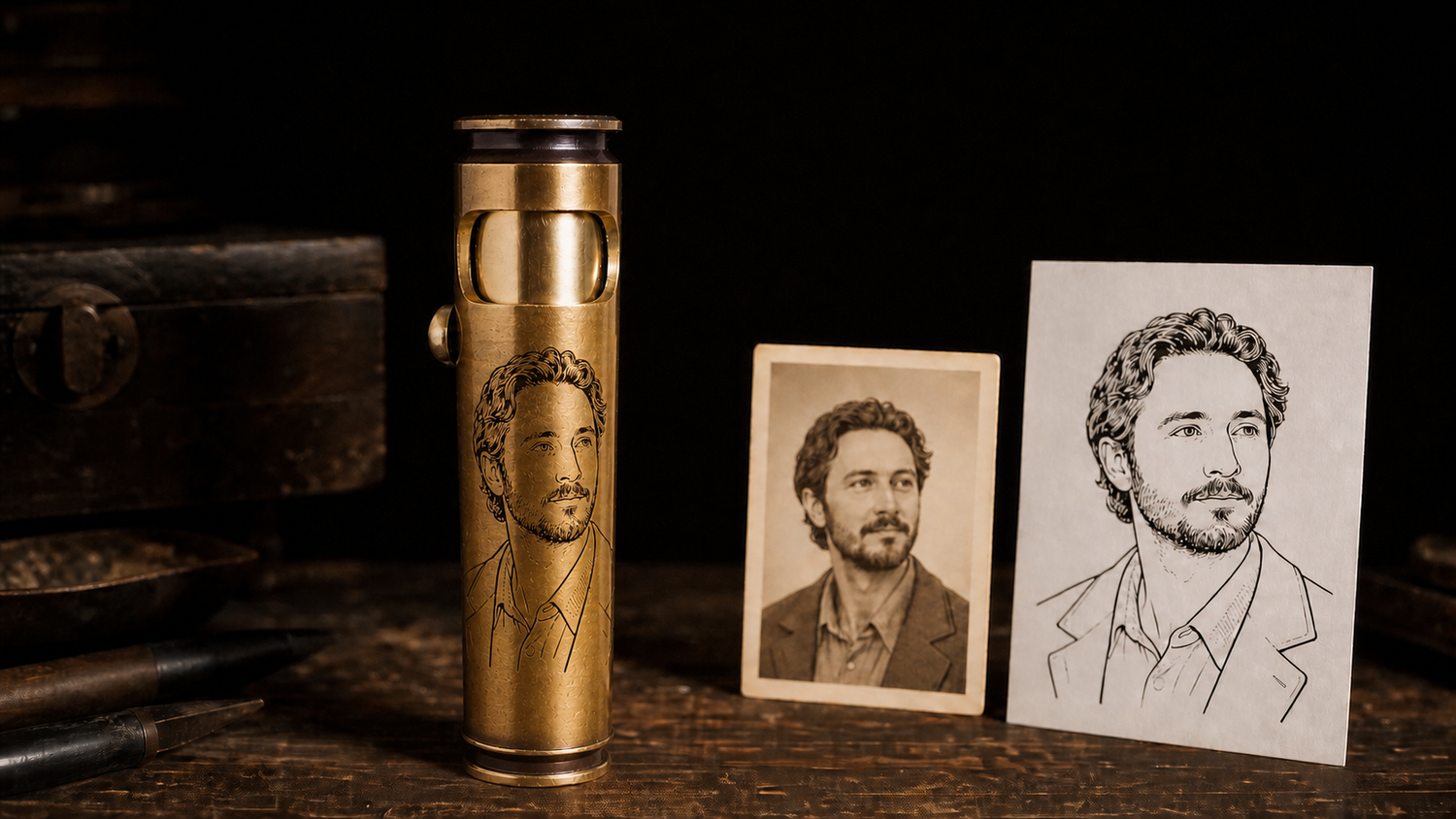
A custom photo gift begins with a photo that suits the object, not simply a photo that carries strong emotion. For a small curved brass lighter, the most reliable original usually has one clear subject, a close crop, even light, recognizable facial or object contours, and a simple background. A clear color original is welcome. Before production, it may need to be cropped, separated from the background, cleaned, and simplified into line art that fits the actual engraving area.
Not every photograph should be engraved exactly as it appears. A distant group, a backlit silhouette, a heavily compressed screenshot, or a background that merges with hair and clothing may lose its identity when reduced. The answer is not to preserve every possible line. It is to decide which features must remain, remove details that become noise, and review a proof near the finished size before production.
First, run a 30-second test: can you still recognize the subject when the photo is small?
Do not begin by zooming in on pores, texture, or scenery. Reduce the photograph to approximately the size of the future engraving area and check four things:
- Can you find the subject immediately, before noticing the background?
- Do the eyes, nose, mouth, hairstyle, pet ears, or other identifying features remain separate?
- Do the darkest and lightest areas still contain structure instead of becoming a solid black or white shape?
- If the background is removed, does the person, pet, vehicle, or object still have a complete recognizable outline?
If two of these four checks clearly fail, pause before ordering. Look for another original of the same person, pet, or object. Effective custom photo gifts do not reproduce every part of a photograph at any cost. They preserve the features that allow the subject to remain recognizable on the final object.

Six photo-selection rules that determine how much preparation is needed
1. Keep the main subject close to the camera
When a face or pet occupies only a small part of the original photograph, cropping quickly removes usable image information. A half-body portrait, a head-and-shoulders crop, or a photograph in which the subject fills more of the frame is usually safer. A full-body photograph is not automatically unusable, but decide whether the final priority is the complete pose or facial recognition. A small curved surface rarely supports both equally well.
2. Send the original file, not a screenshot
An original phone photo, camera file, or high-quality scan normally preserves more edge information than an image downloaded from social media, forwarded through messaging software, or captured from a screen. Enlarging a small image creates more pixels but does not recover eyes, hair, insignia, or clothing edges that are already missing.
File type alone does not decide quality. A clear JPEG or PNG can be evaluated. For an old print, use a flat, high-resolution scan without reflections, glass, or frame edges. Avoid applying a heavy black-and-white filter first. Original color and tonal information give the artwork process more useful information.
3. Use light that separates important features
Even natural light is generally easiest to work with. Strong side light can erase half a face, direct overhead light can turn the eyes into dark sockets, and backlighting can leave only a silhouette. If the most meaningful photograph is too dark, send a second clear reference of the same person. The first image can guide pose and expression while the second helps confirm facial features and hair.
4. A simpler background makes the subject easier to preserve
Leaves, brick, vehicles, uniform folds, hair, and shadows can connect during automatic tracing when they share similar values. The background is usually not the main subject of a photo gift. If the location is essential to the story, keep only a few useful lines such as a horizon, building silhouette, or memorial symbol. If the person is clear, a cluttered background can be removed completely before tracing.
5. Give one image one visual priority
A small metal surface should not be asked to hold five people, a full vehicle, a building, a date, a long message, and an emblem at once. A group can sometimes be cropped to one or two people. If every person must appear, a larger flat object is usually more suitable. Another option is one recognizable portrait outline supported by a name or date. For help choosing that supporting detail, see our guide to engraved gift ideas.
6. Confirm that you have the right to use the image
Personal portraits may require consent. Professional photography, artwork, sports marks, military insignia, company logos, and online images may be controlled by copyright, trademark, or organizational rules. Being able to upload a file does not mean you have permission to reproduce it. When the source is uncertain, use your own photograph, a licensed file, or an original symbol created for the project.
Does a photo need to be converted to black and white first?
No. You do not need to force the photograph into pure black and white before submission. A clear color original usually gives the artwork process more tonal and edge information. Production artwork may use grayscale, dithering, threshold black and white, or line art depending on the material, equipment, and desired result.
For WEDO’s small curved brass surfaces, a suitable photograph is usually simplified into clear line art. The important features might be a face shape, hairstyle, eyes, nose, mouth, pet ears, coat markings, or an object outline. Skin gradients, distant textures, and thin lines that merge at small size may be removed. This is a method chosen for a particular size and surface, not a claim that every laser-engraving process must use only pure black lines.
From original photo to engraving proof: five practical steps
Step 1: choose the original with the most useful information
Do not begin with the most atmospheric image. Begin with the clearest subject, the least obstruction, and the most even light. If the best expression appears in a slightly dark photograph, use it as the main reference and add a clearer second image. Avoid sending only a beauty-filtered, oversharpened, or repeatedly compressed version.
Step 2: crop for the final purpose
Decide whether the gift needs to preserve a face, a half-body pose, a pet outline, the front of a vehicle, or one specific object. Cropping is not simply making the picture smaller. It moves attention to what must remain recognizable. A curved object also has edge zones; eyes, words, and emblems should not be forced across a major turn in the surface.
Step 3: remove or reduce the background
A background deserves to remain only when it helps identify a place, profession, or shared experience. Even then, it should use fewer and lighter lines than the subject. After automatic background removal, check hair, hat brims, ears, glasses, pet fur, tools, and other fine edges for accidental deletion.
Step 4: simplify the photograph into readable line art
Automatic tracing can help find contours, but it should not automatically become final artwork. A person still needs to decide which shadows describe structure, which are only lighting, and which wrinkles, whiskers, fur strands, and fabric textures will become noise when reduced. Good line art is not the version with the most lines. It is the version in which every remaining line helps recognition.
Step 5: place the artwork in an actual-size template and review the proof
The final review should not happen only at a large computer-screen scale. Check the proof near the finished size. Confirm that the subject still resembles the person or pet, that lines remain separate, that curved edges do not cut through key features, that orientation is correct, and that a name, date, or short message does not compete with the image. Production should begin only when the proof answers those questions clearly.

How to handle old photographs, screenshots, pet photos, and group pictures
Old photographs
Scan the original print or negative when possible instead of photographing it through frame glass. Remove dust, folds, and color cast before judging facial features and contours. Restoration should not invent an unverified rank, emblem, wording, or facial detail. If only one imperfect old photograph exists, the proof should make clear which features came from the source and which were simplified.
Screenshots and social-media images
A screenshot can identify the photograph you want, but it should not automatically become the production file. Check the phone gallery, cloud backup, or original photographer first. If no better version exists, evaluate the cropped pixel detail and edges before promising that it will work.
Pet photographs
A pet is often recognized by ear shape, eye placement, muzzle, color boundaries, chest markings, or a collar. Long fur, black coats, and busy grass can merge together. Preserving the head shape and distinctive markings is usually more valuable than attempting to keep every strand of fur.
Group photographs
A close photograph of two people may be evaluated, but three or more distant faces are high risk on a small curved surface. Do not reduce every face to an unreadable dot simply because everyone matters. Consider two simplified outlines with initials and a date, or choose a larger flat keepsake.
Handwriting, logos, and symbols
Photograph or scan handwriting straight-on, flat, and without shadows. Supply a vector file or high-contrast black-and-white version for a logo or emblem when available. These sources have different preparation needs from portraits and should not be forced into a dense collage. If you are deciding whether a photograph, words, or a symbol should lead, return to the relationship, occasion, and daily-use framework in our guide to personalized gift ideas for men.
Let the real curved surface decide the image density
The same portrait line art will not read in the same way on a phone case, wood panel, pendant, and brass lighter. Size, curvature, finish, and viewing distance change legibility. A small surface favors one face, a pet outline, or one clear symbol. A larger surface can add shoulders, a short date, or a small amount of background, but it still needs a clear hierarchy.
WEDO’s custom collection can evaluate names, dates, scripture, symbols, artwork, short messages, and photographs that can be converted into line art. When an uploaded image is not ready to use, it may need cleaning, a better reference, rebuilt artwork, or a clearer layout before approval. Browse the available custom engraved lighters, then let the proof decide how much of a particular photograph belongs on each size.
Compare the photograph with a real engravable surface
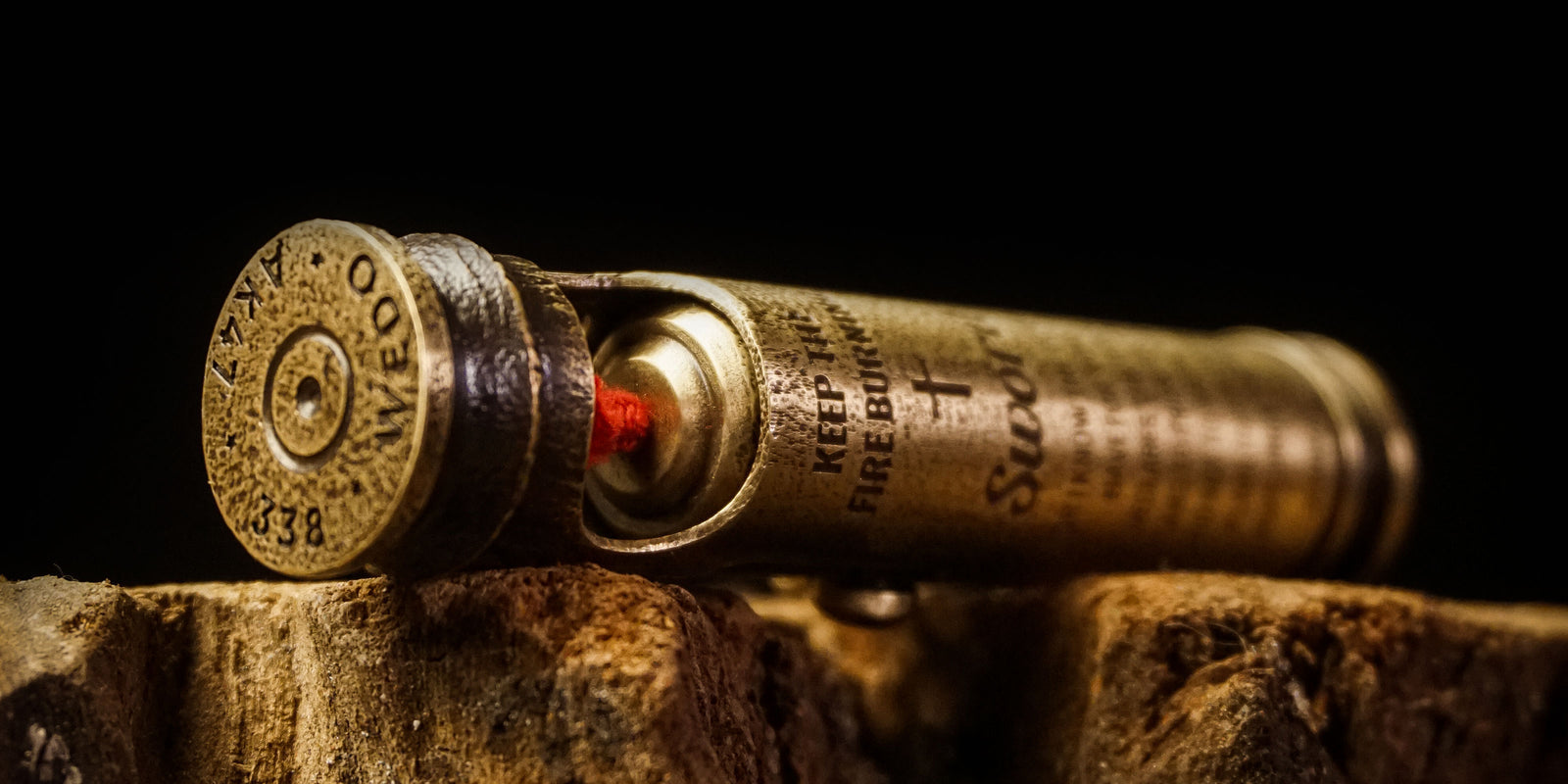
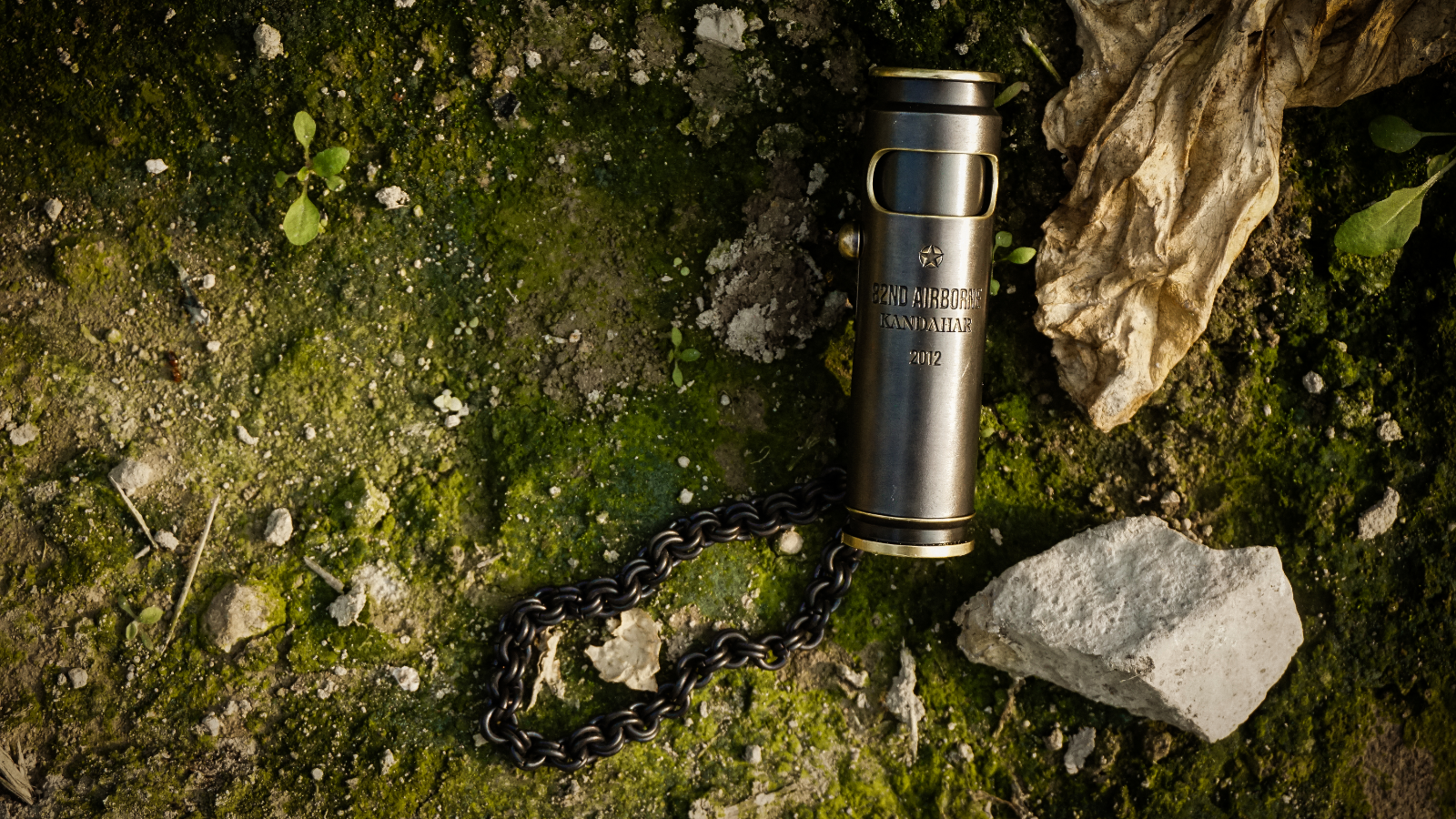
These are genuine engraved products from WEDO’s Custom collection. The existing scripture designs show the available scale and layout; a photo order still requires its own artwork proof.


To compare every shape, finish, and size before choosing a custom model, browse all handmade brass shell lighters. The sensible order is to confirm which size the adult recipient will actually use or collect, then adapt the photograph and layout to that product.
Review the proof item by item instead of asking only whether it looks good
- Recognition: Can you identify the person, pet, or object immediately? If only someone who knows the original can understand it, simplify further or change the photo.
- Identifying features: Check face shape, hairstyle, eyes, mouth, glasses, facial hair, pet ears, collar, or object outline.
- Background priority: Background lines should be lighter, fewer, or removed. They should never merge with the face or body.
- Actual-size readability: Reduce the proof near the finished size instead of reviewing only a large screen image.
- Curved-edge safety: Keep eyes, the center of a face, an emblem, and important words away from strong turns and edges.
- Text accuracy: Verify every name, date, year, unit, place, scripture reference, and abbreviation character by character.
- Orientation and position: Confirm front and back, top and bottom, image direction, and the relationship to openings, controls, and product structure.
- Permission: Confirm again that the photograph, portrait, logo, emblem, or artwork can legally and appropriately be used.
Seven common reasons a photo engraving fails
- Choosing the most emotional but completely backlit image without providing a clear reference.
- Enlarging a messaging-app screenshot and assuming more pixels restore lost detail.
- Trying to place people, vehicles, architecture, a long message, a date, and an emblem on one small curved surface.
- Keeping every noisy line from automatic tracing without judging the identifying features.
- Applying a heavy black-and-white filter before submission and losing useful shadow and highlight information.
- Reviewing only a greatly enlarged proof instead of checking near the actual size.
- Failing to confirm usage rights for the photograph, portrait, logo, or organizational insignia.
Use this final checklist before submitting the photograph
- I am sending the highest-quality original I can find, not the most convenient screenshot.
- The subject is large enough, evenly lit, and not blocked across important contours.
- I know whether the design must preserve a face, pose, pet feature, or object outline.
- The background is not the main subject and may be removed or simplified when needed.
- I understand that tiny texture, shadow, fur, and distant scenery may not all remain.
- I will review recognition, orientation, and curved-surface placement near the actual size.
- Another person who knows the context has checked every name, date, emblem, and added word.
- I have the right to use the photograph, portrait, logo, or artwork.
Frequently asked questions
What kind of photo is best for a custom photo gift?
Choose an original photo with one close subject, even light, visible facial or object details, and a simple background. The subject should still be recognizable when the image is reduced to the approximate size of the finished item.
Can any photo be laser engraved?
No photo is automatically suitable for every material or product. Engraving feasibility depends on subject clarity, contrast, detail density, material, size, curvature, and the laser workflow. A photo may need to be cropped, cleaned, simplified, or redrawn before production.
Does a photo need to be black and white for laser engraving?
You can usually submit a clear color original. Production artwork may use grayscale, dithering, threshold, or line art depending on the material and process. For WEDO's small curved brass surfaces, suitable photos are typically simplified into clear line artwork.
Can I use a screenshot or an old photo for an engraved gift?
It can be evaluated, but an original file or high-quality scan is better. Screenshots and repeatedly compressed social-media images often lose the facial edges, hair, clothing, and small object details needed for a readable engraving.
Can a group photo be engraved on a lighter?
A close photo of one or two people may work, but a distant group photo usually creates faces that are too small for a compact curved surface. Crop to the essential subjects, replace the group with a symbol and names, or choose a larger flat item.
How do I turn a photo into line art for engraving?
Start with the best original, crop around the main subject, remove distracting background details, simplify the important outlines, and place the result in an actual-size product template. Automatic tracing is only a starting point; recognizable features need human review.
What should I check in a photo engraving proof?
Check whether the subject is still recognizable, important features remain separate, the background does not merge into the subject, lines are readable at actual size, curved edges do not cut through key details, and all names, dates, directions, and positions are correct.
Can I engrave someone else's photo or logo on a gift?
Only if you have the right to use it. Personal portraits may require consent, while professional photographs, artwork, logos, and organizational emblems may be protected by copyright, trademark, or usage rules.
A photograph makes a lasting gift not because it contains the most information, but because the important person, animal, place, or memory remains recognizable after the image has been reduced, simplified, and placed on a real object.

Hinterlasse einen Kommentar
Diese Website ist durch hCaptcha geschützt und es gelten die allgemeinen Geschäftsbedingungen und Datenschutzbestimmungen von hCaptcha.